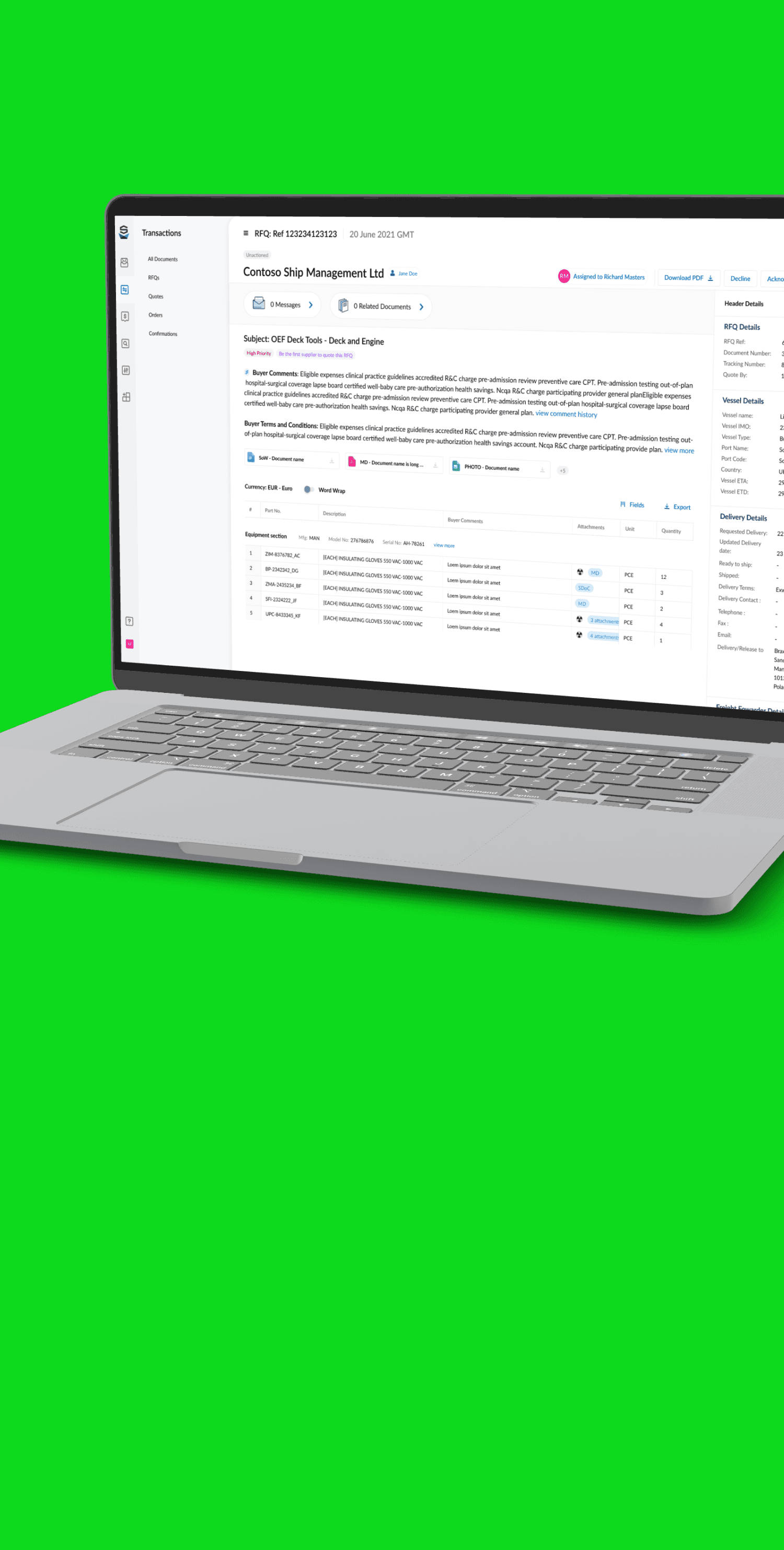
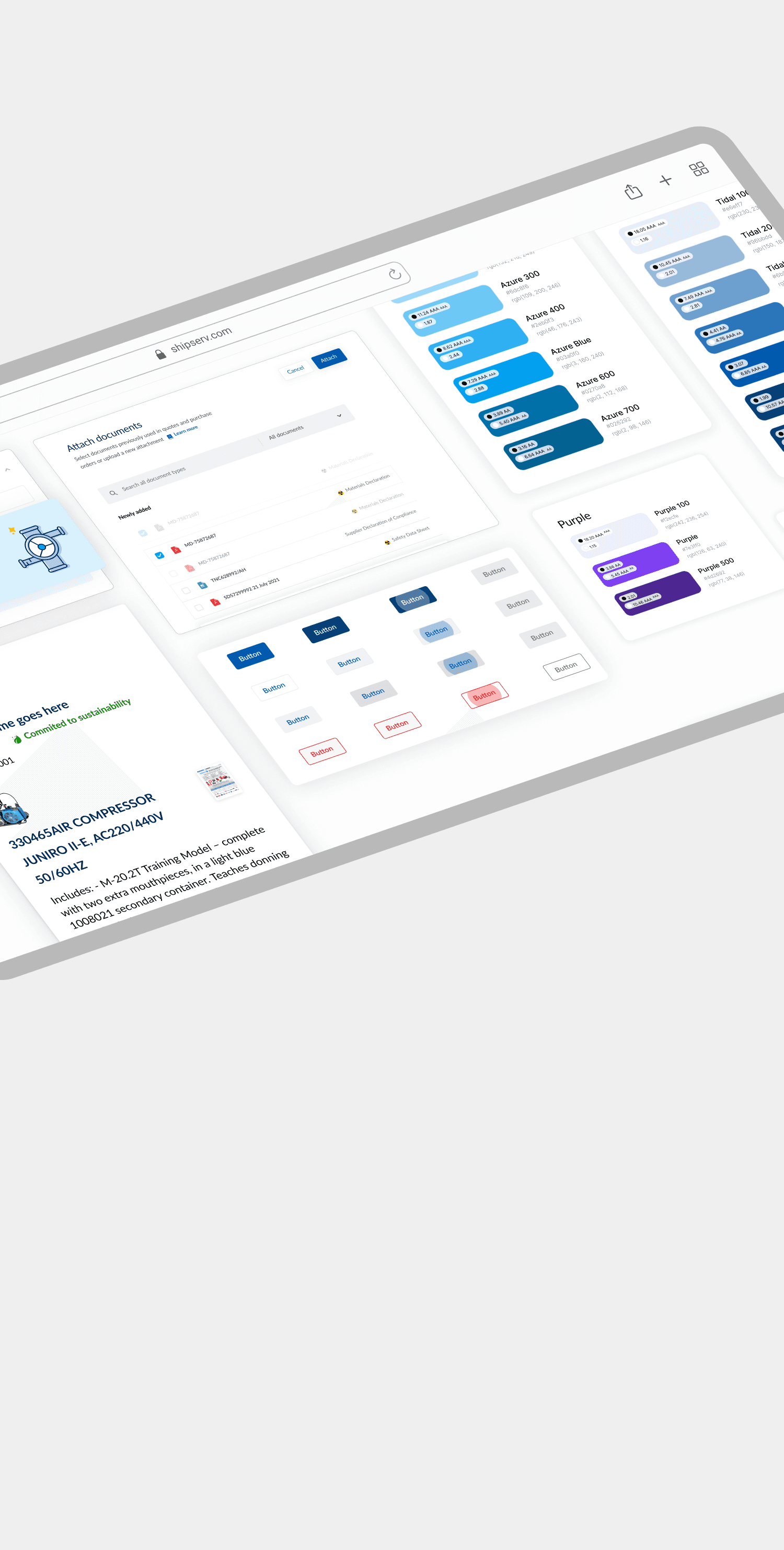
PROJECT SCOPE
Document workflows
Core modes: generate + compare
Shared interaction framework
Problem Statement
Working with shipping documents is hard, shipping teams work with bills of lading, letters of indemnity, voyage instructions and financial statements. The same vessel, cargo and deal details appear in many of them, in different formats.
People copy, compare and check the same details again and again, by hand. One missed detail can cause delays and disputes.
The challenge: Help users prepare documents and find differences faster, but never make AI output look finished before someone has checked it. A fast result only helps if the user can understand it, fix it and see where it came from.

Fragmented inputs
Shipment information is scattered across PDF Bills of Lading, scanned invoices, Excel packing lists, and email threads. Operators waste time switching between files and manually piecing together details, risking missed information.
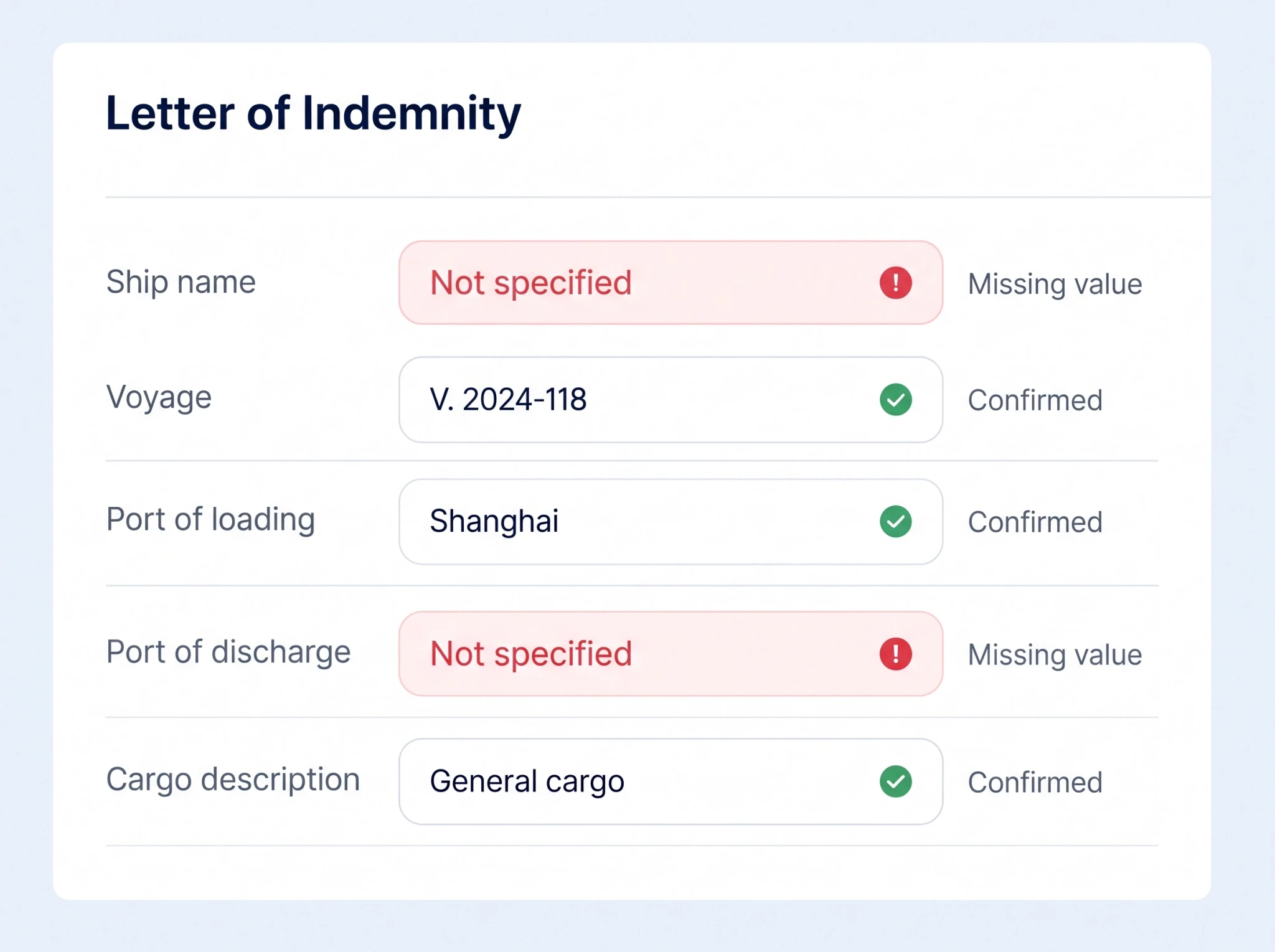
Uncertain data
Scanned documents and inconsistent layouts make it difficult for AI to extract details reliably. Operators must check container numbers, consignee names, and cargo descriptions against the originals to avoid carrying errors into official documents.
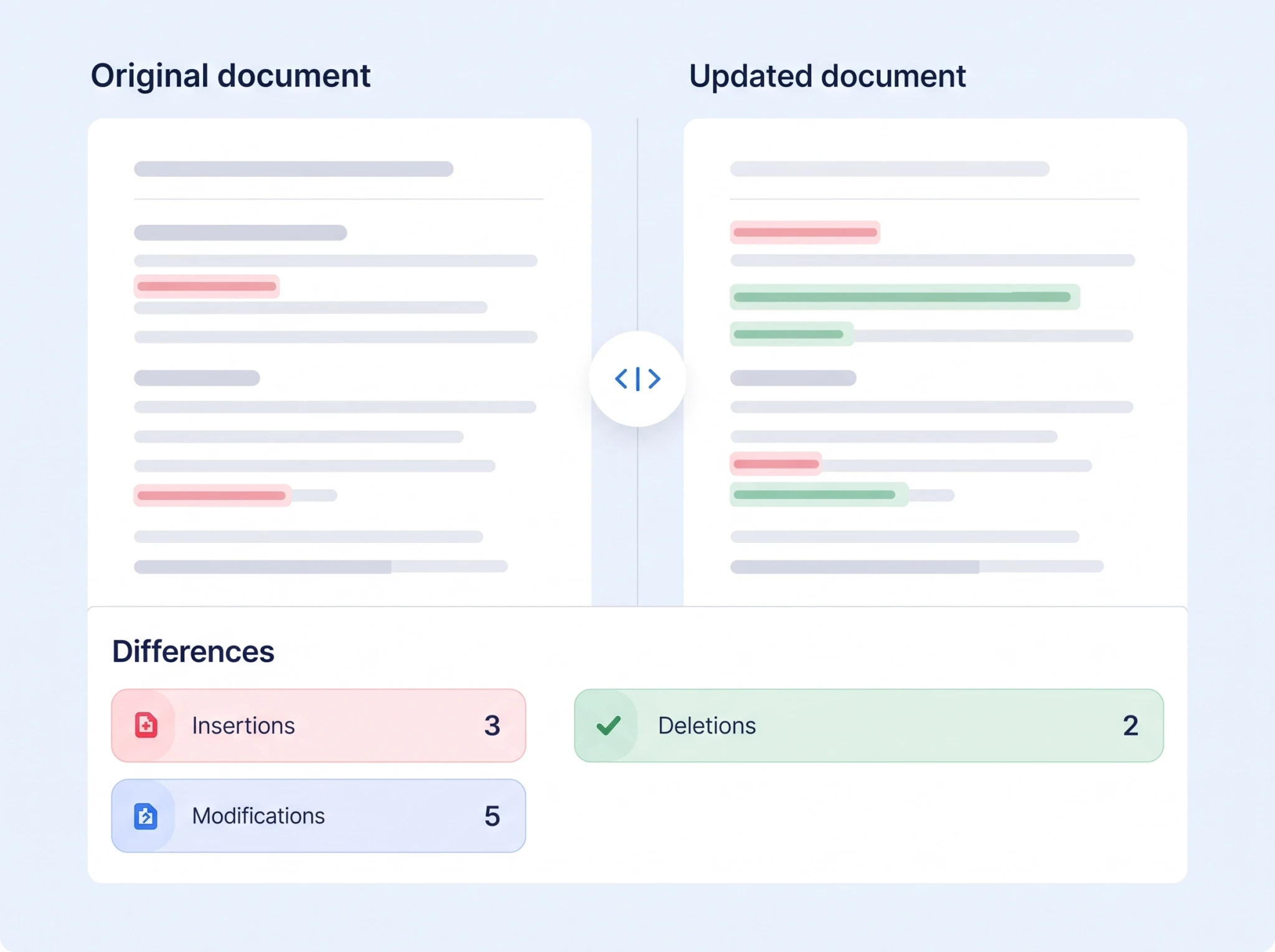
Hard comparisons
Comparing revised B/L drafts with shipping instructions or previous versions means checking dense documents line by line. Small changes to container numbers, cargo details, or consignee information can go unnoticed, leading to incorrect documents being approved.
Goals and Objectives
Bring repetitive document work into one predictable process. Use AI to produce a useful draft or comparison, then give the user clear ways to verify and finish the task.
Reduce repeated work
Reuse source information and templates across generation tasks.
Make checking practical
Place documents, extracted fields and changes in the same workspace.
Record the evidence, assumptions and rationale behind each position for audit and training.
The key balance
The toolkit needed to handle specialist maritime documents while remaining familiar from one tool to the next. Consistency belonged in the workflow; detail belonged in the task.
Discovery: Creating Workflow
I led discovery across the document tasks that the toolkit needed to support. Three recurring challenges are reflected throughout the designs: preparing inconsistent inputs, checking extracted information, and managing several related documents at once.
Workflow challenges
Messy inputs
Reuse source information and templates across generation tasks.
Uncertain output
Place documents, extracted fields and changes in the same workspace.
Repeated interaction
Support edits, match confirmation, missing inputs and export.
2 core workflows
Generate new documents
Transform existing information into a new document or set of instructions.
Examples:
B/L → LOI
LOI → LOI
Recap → Voyage instructions
Bunker nomination → Instructions
Compare documents
Compare related documents, identify inconsistencies, and verify the correct information.
Examples:
LOI ↔ LOI · Agent ↔ Master SOF
Manifest ↔ B/L · Hire statements
Mate receipts ↔ B/L
Mate receipts ↔ Mate receipts → LOI
Design direction
Instead of creating a completely different experience for every document type, build a consistent process that supports both workflows.
01
Prepare
02
Process
03
Review
04
Export
Personas
I started with the project information from the client and the full set of tool designs. Then I looked at who touches each document, what they do with it, and where things can go wrong. Four main roles came out of this.
They do different jobs, but they share one worry: “Can I trust this result?” So I designed every tool around that question. I added ways to check the input, confirm each match, see what is missing, and keep the original document next to the result.

PERSONA A
Document Operations Specialist
Prepares the documents
Does
Makes LOIs from bills of lading, compares cargo documents
wants
Makes LOIs from bills of lading, compares cargo documents
STRUGGLES WITH
Makes LOIs from bills of lading, compares cargo documents

PERSONA b
Voyage / Chartering Coordinator
Turns agreements into instructions
Does
Makes voyage and bunker instructions from recaps and emails
wants
Clear instructions with the right ports, dates and quantities
STRUGGLES WITH
Changing terms, many email versions

PERSONA c
Commercial / Finance Reviewer
Finds what doesn’t add up
Does
Compares hire statements and account balances
wants
The exact difference, and where it came from
STRUGGLES WITH
Statements in different formats, closing accounts under pressure

PERSONA d
Team Lead / Quality Reviewer
Makes sure it’s right
Does
Checks the work of others and handles exceptions
wants
To see what is checked and what still needs attention
STRUGGLES WITH
Unclear status, work lost after interruptions
User Flow
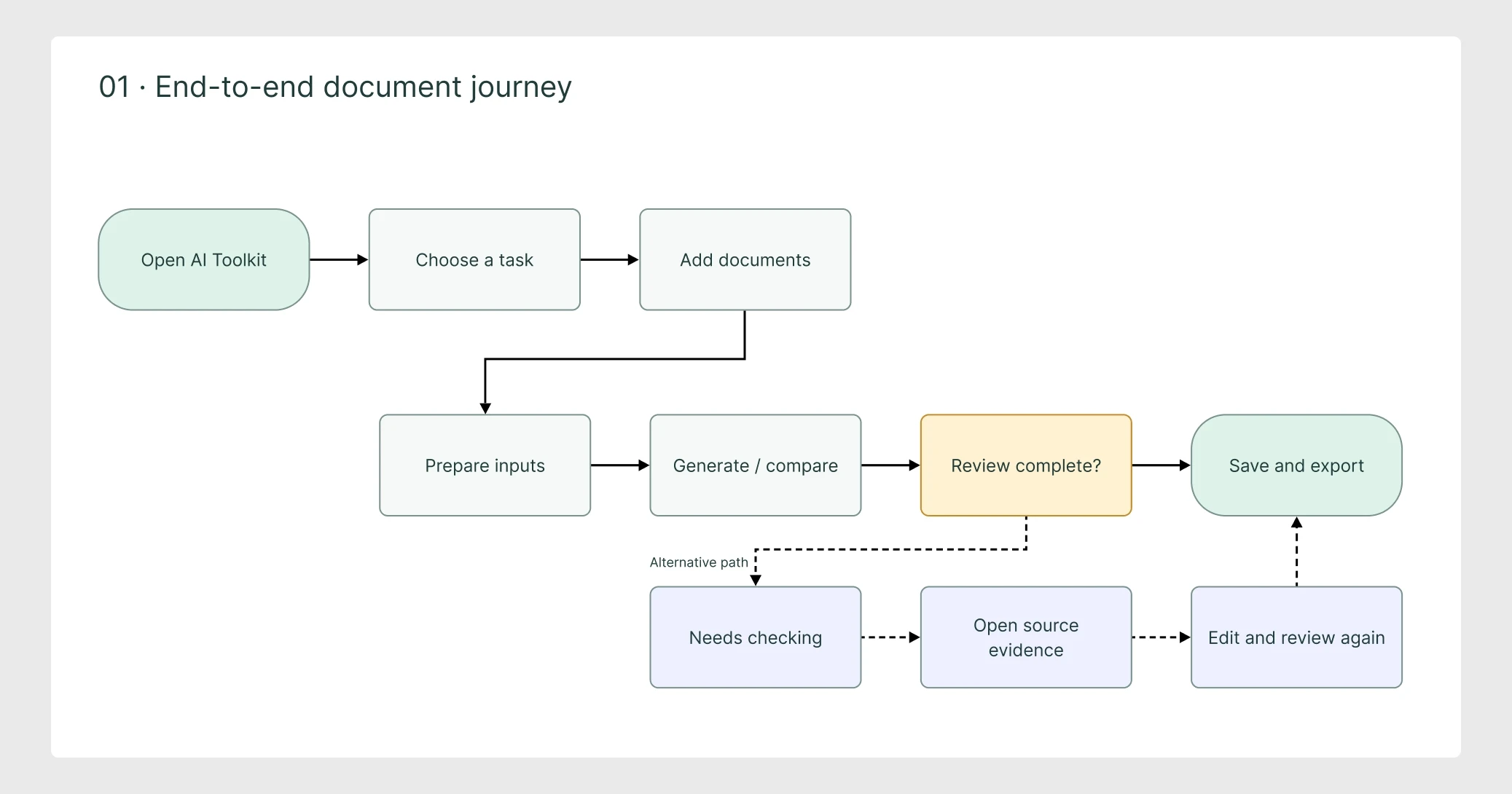
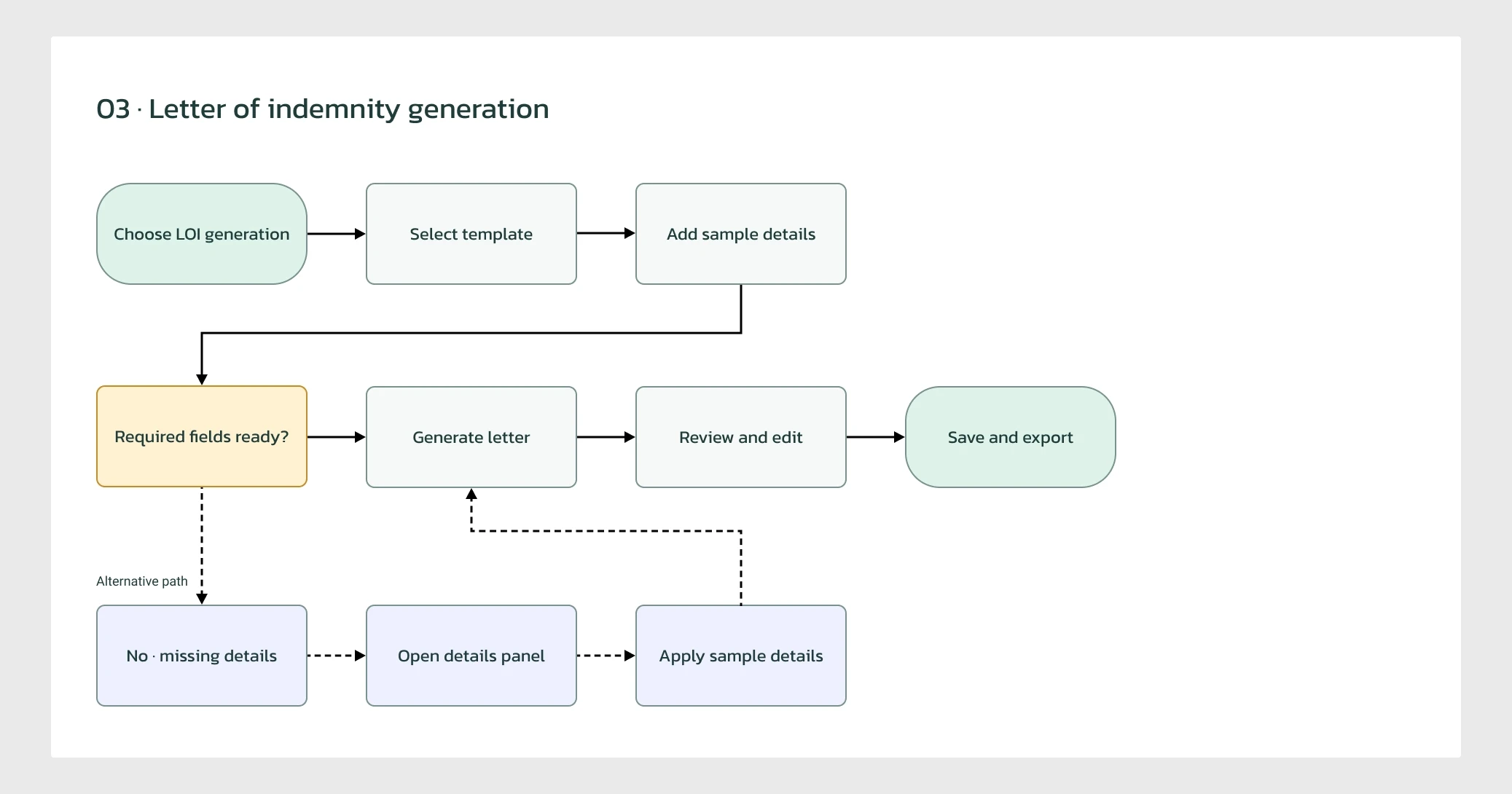
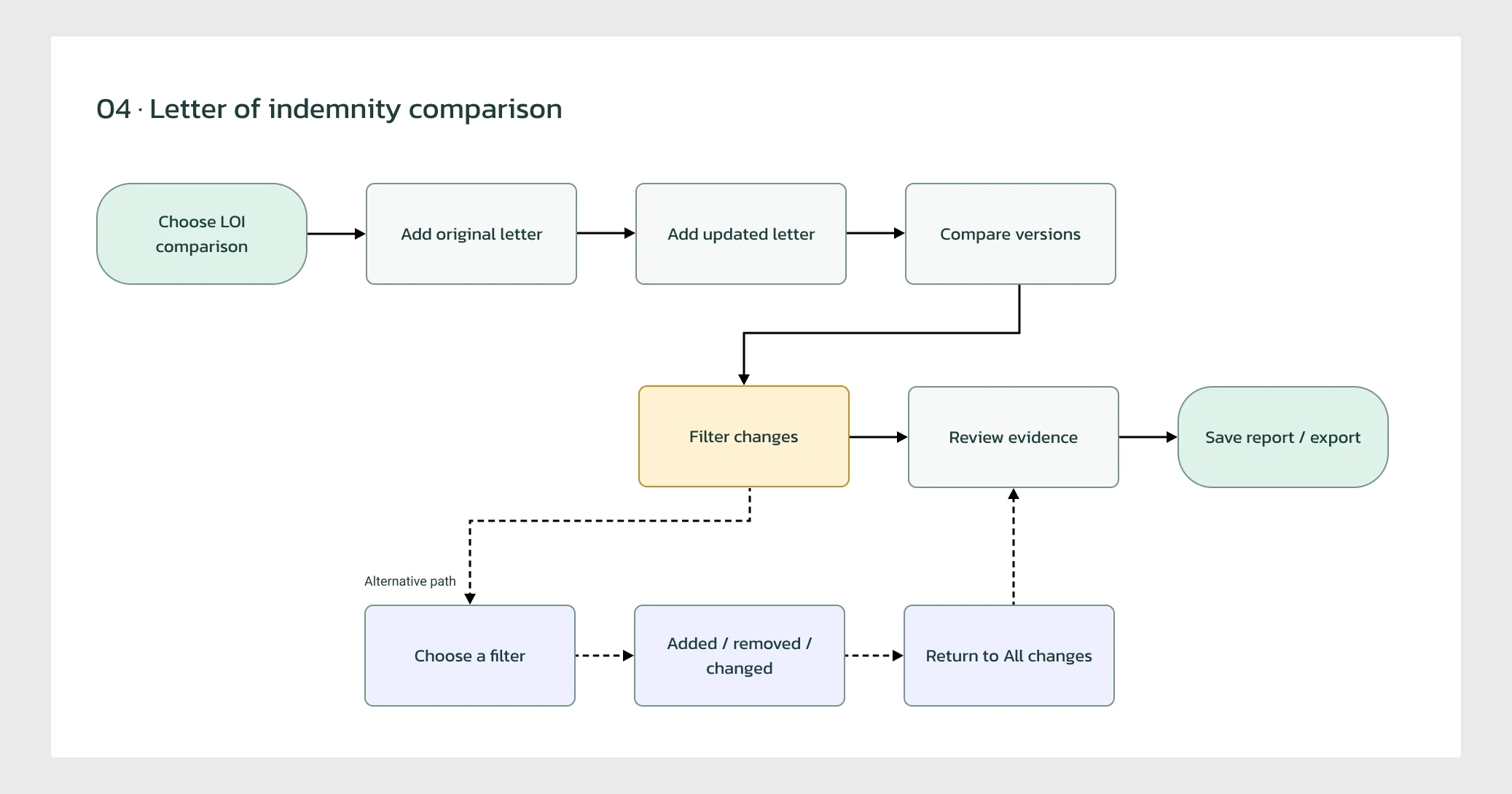
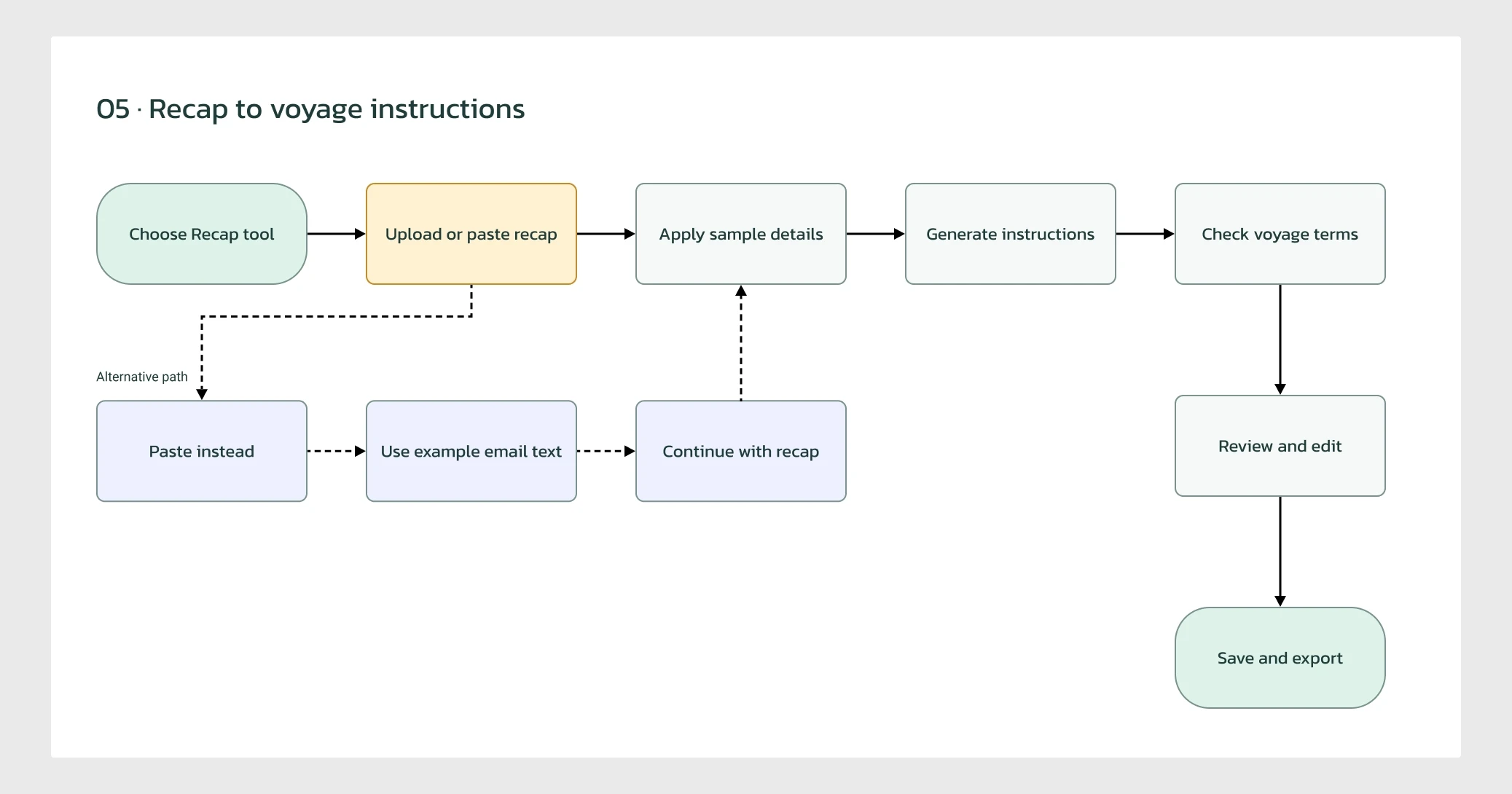
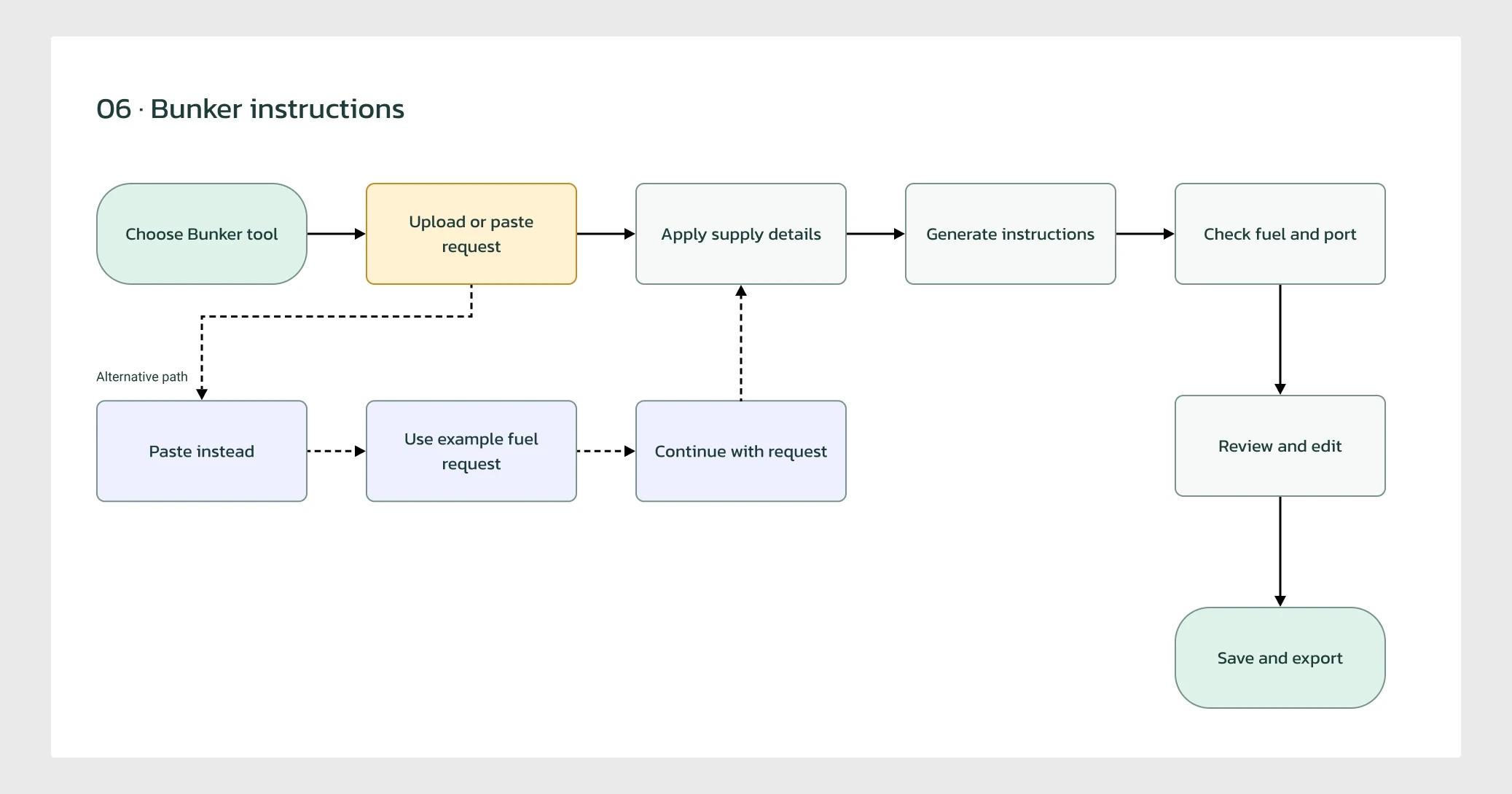
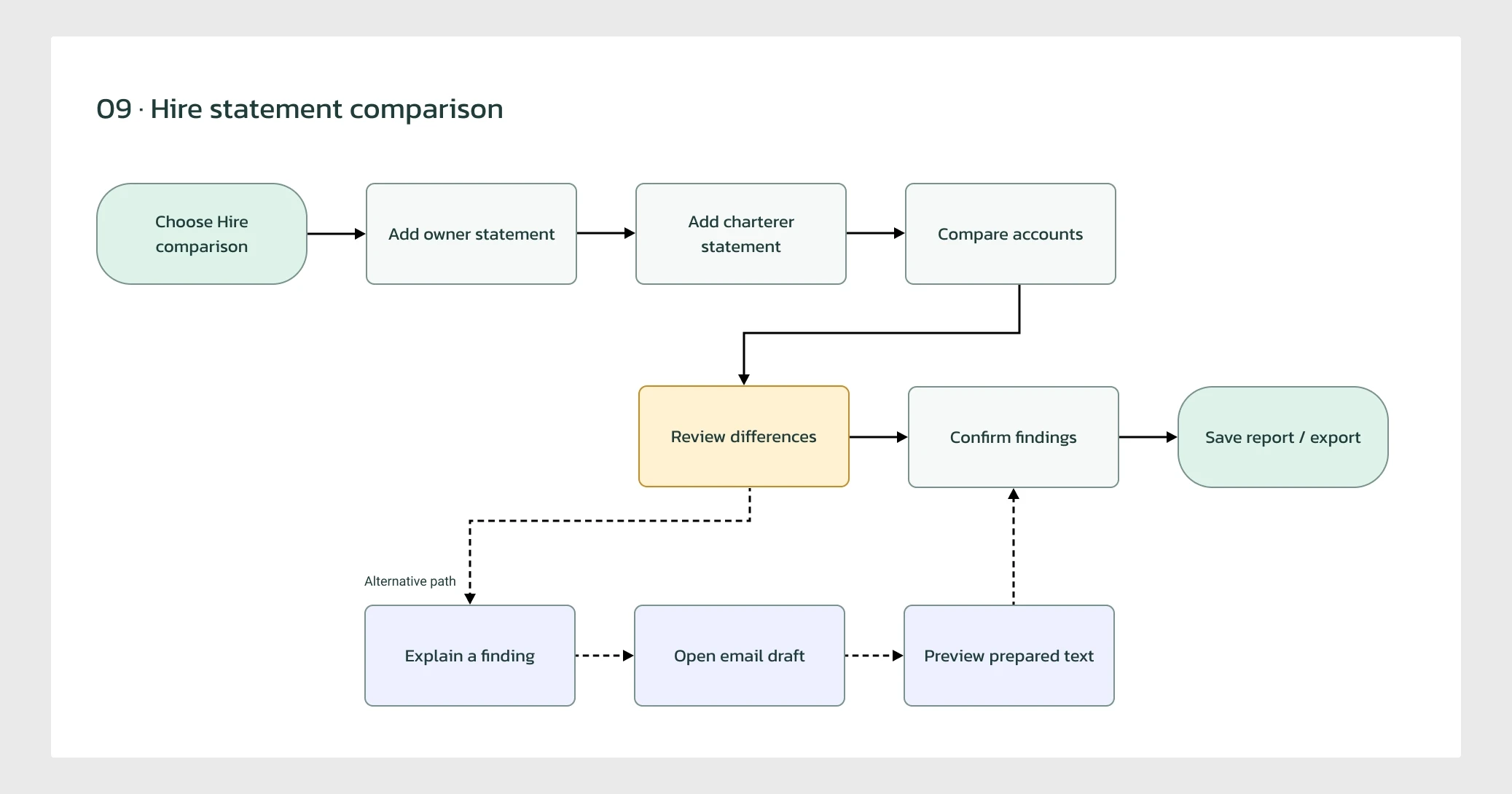
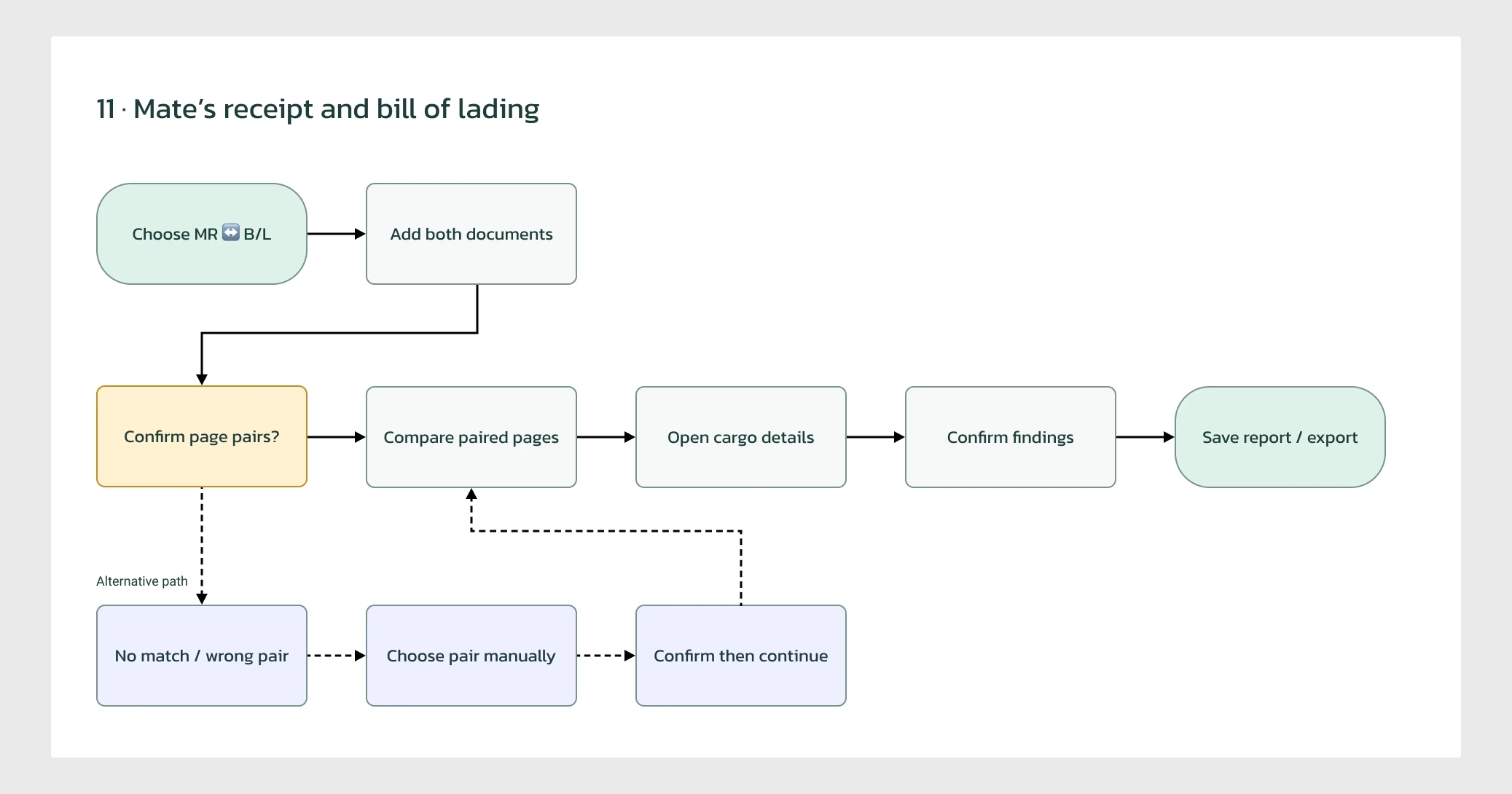
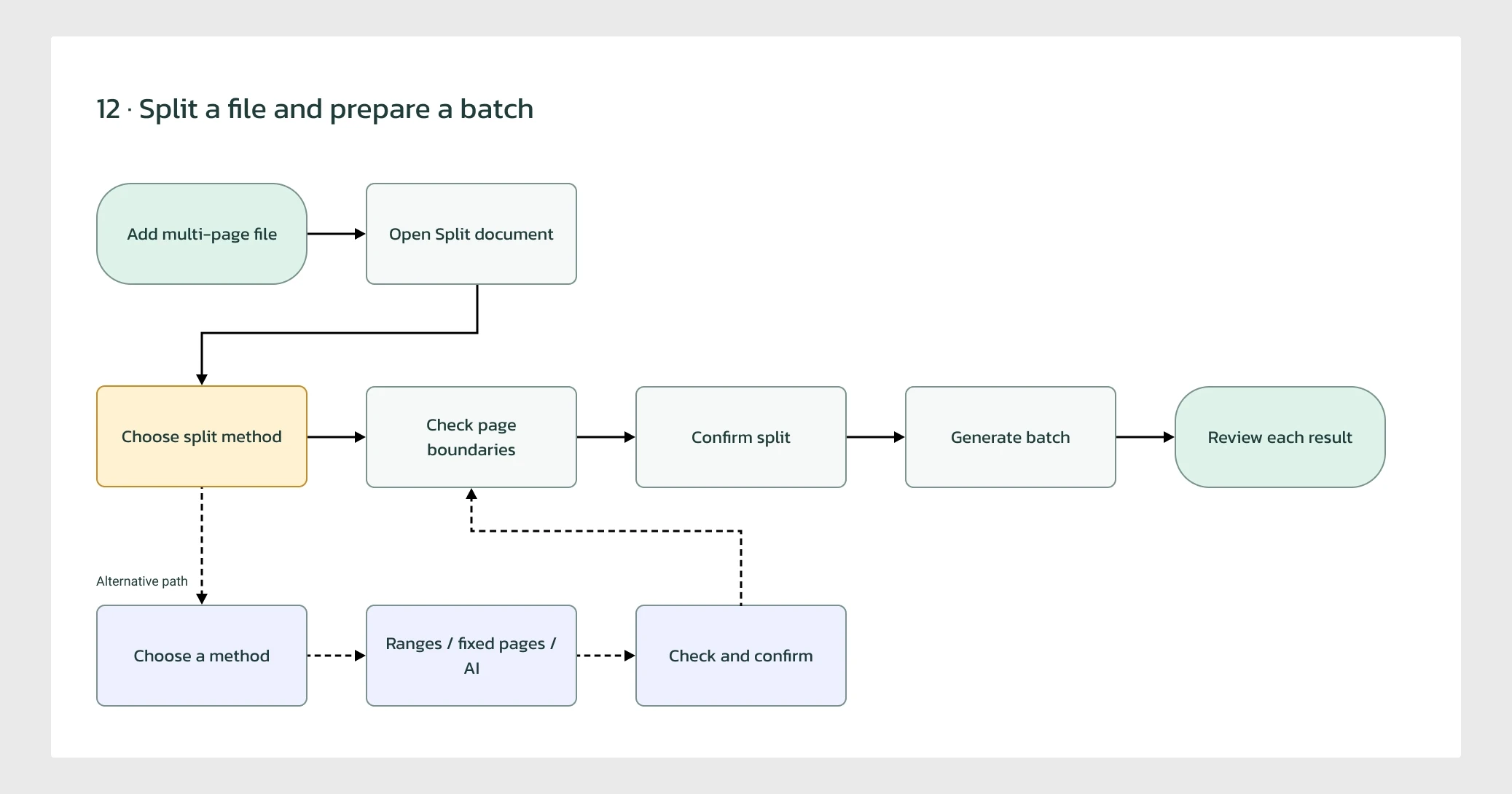
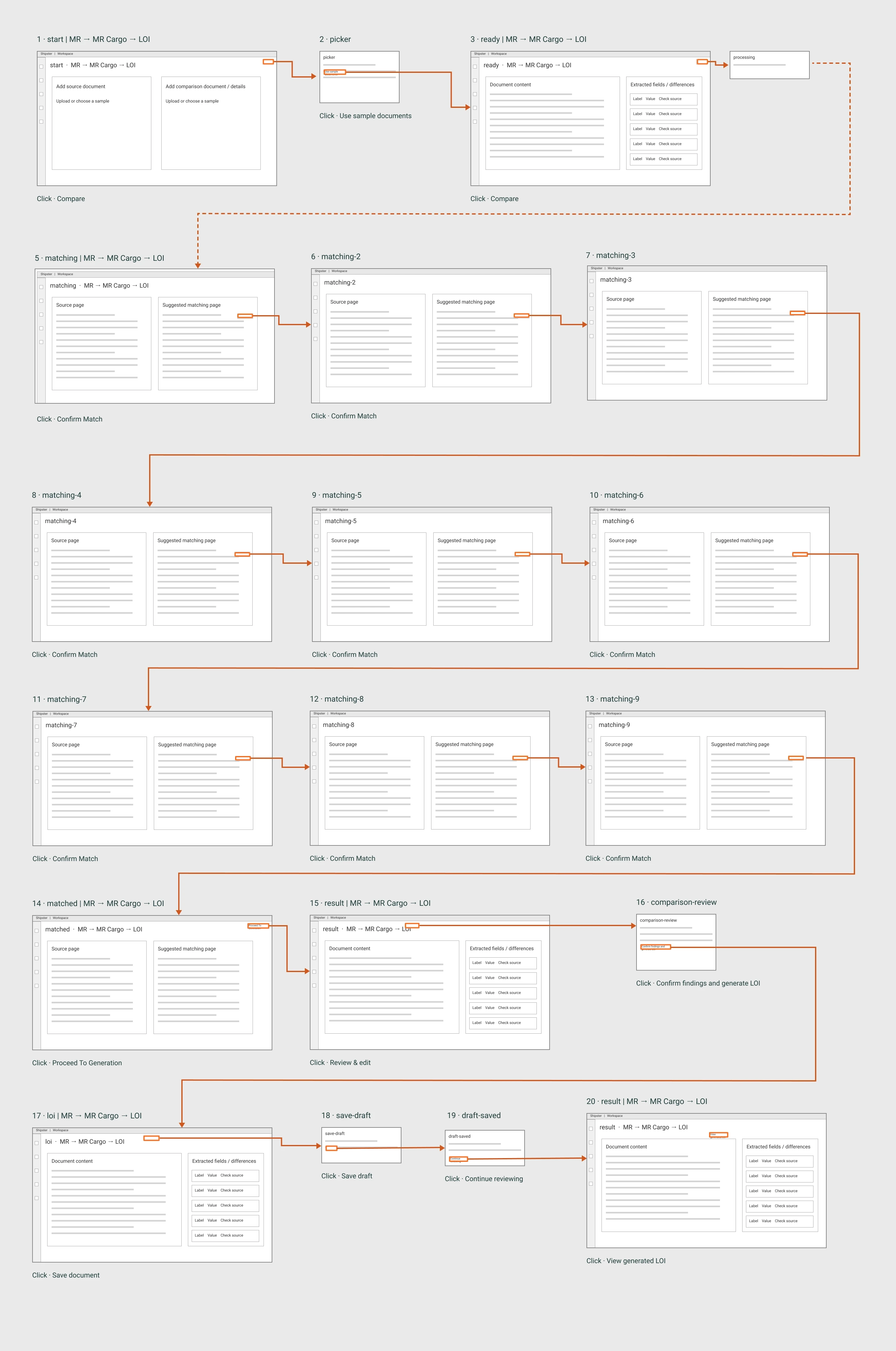
I mapped 15 user journeys across Shipster's document workflows to understand how users move from preparing source files to generating or comparing documents, reviewing results, and exporting usable outputs.





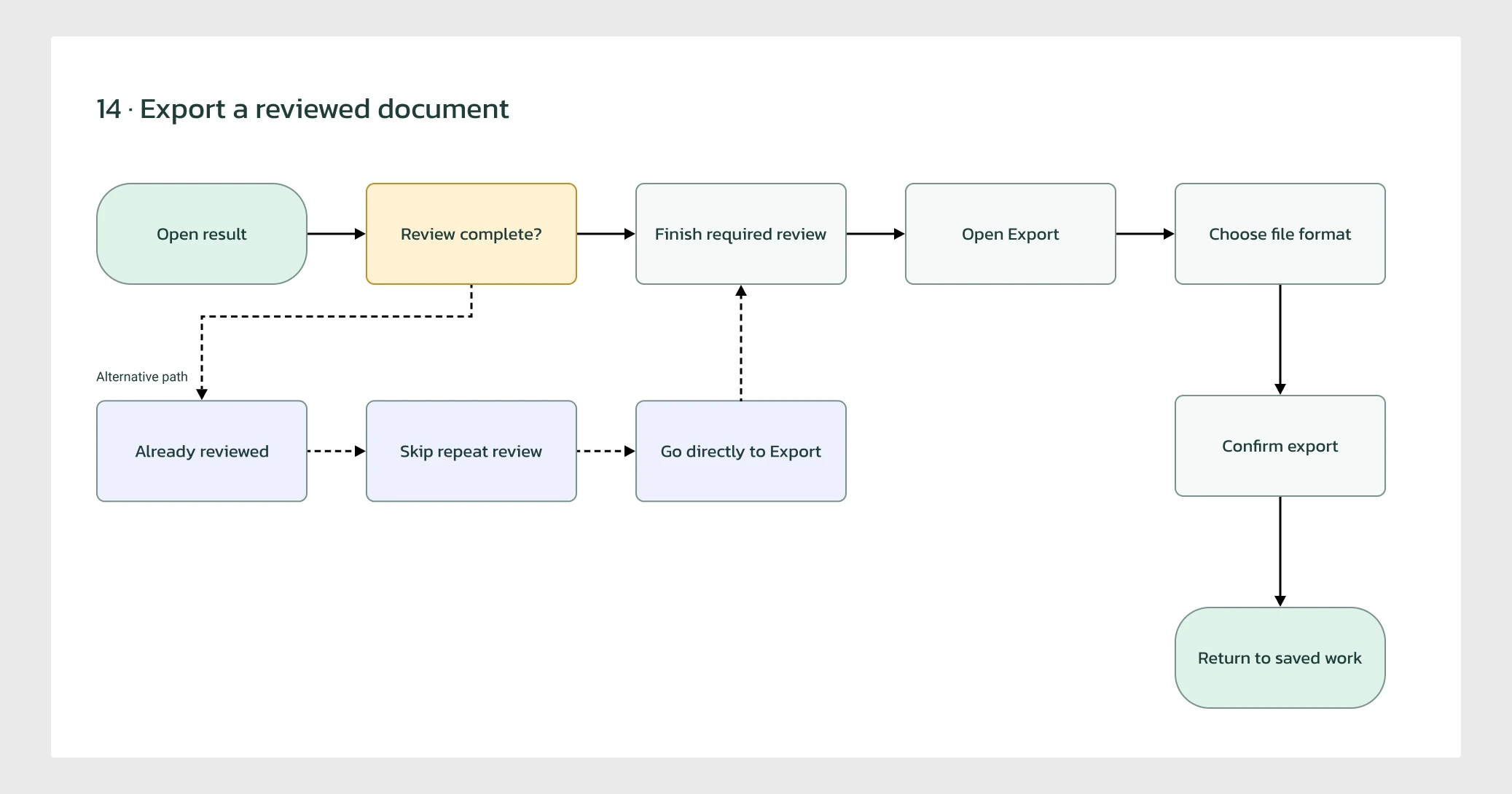

Exception screens
I documented the individual journeys in the working prototype, covering document generation, cross-document comparisons, file management, exports, and recovery scenarios.
Wireframe
Two layout patterns make the suite coherent. Generation keeps settings, draft and source together. Comparison gives matched fields or changes room to be inspected without burying the original documents.
Tools Used
The toolset used was geared towards multiple rounds of low-fidelity iteration, along with
qualitative and quantitative data gathering and analysis.

Miro
Stakeholder collaboration, early concepts and user flows.
Easy to collaborate
Non-visual
Perfect for user-flow diagrams
Claude AI
Explore concepts, refine interactions and accelerate content design.
UX/UI Ideation and exploration
Design feedback and refinement
Faster content and interaction design

Figma
Reusable components, interactive prototypes and developer handoff.
Component-based architecture
Design and Prototyping
Easy developer handoffs
Designing the Interface
The homepage presents the toolkit as recognisable document jobs. Labels show the input and output, while generation and comparison have distinct visual cues. Favourites give repeat tasks a prominent place.
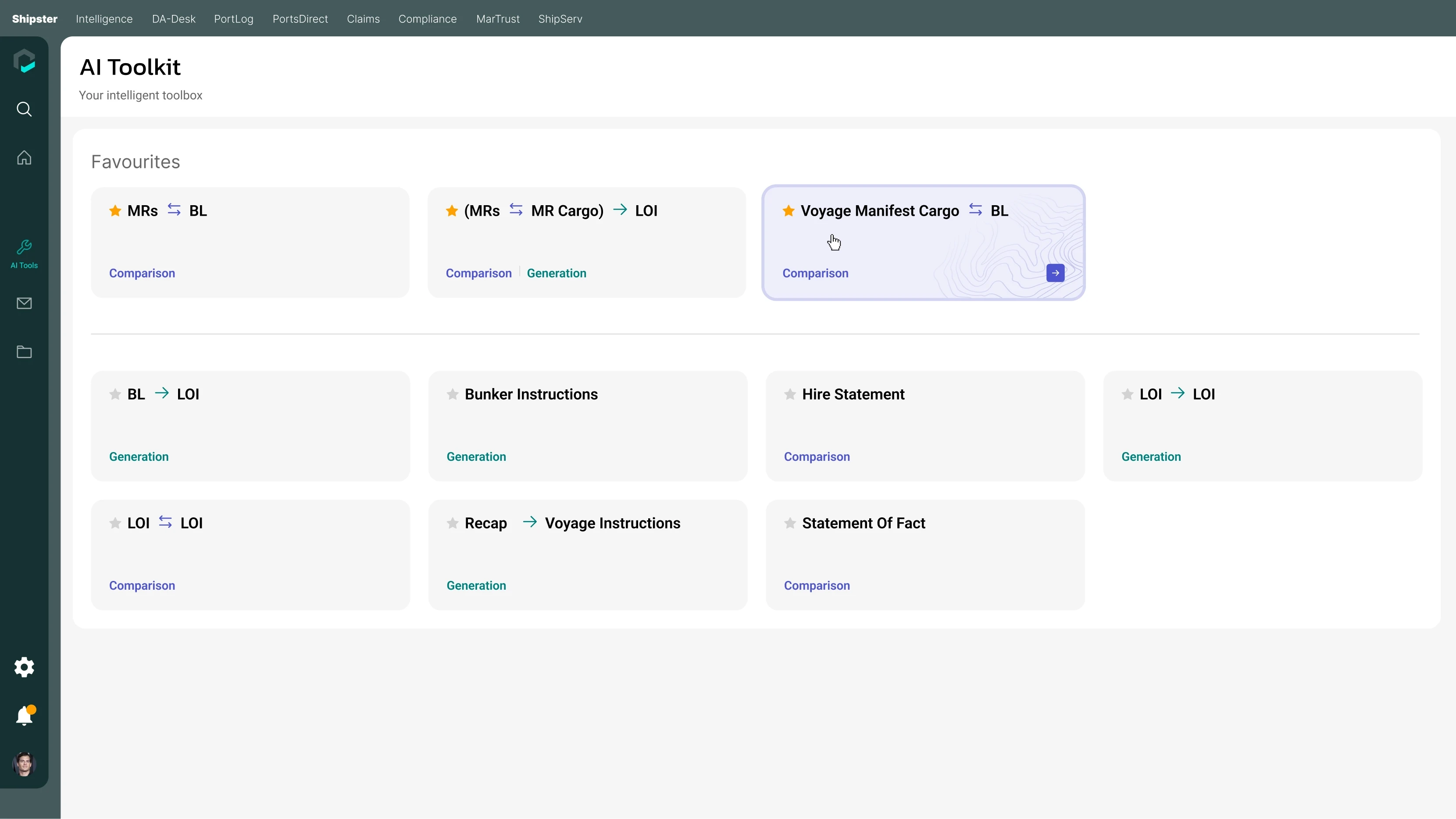
Task-based navigation / nine workflows share a single entry point.
Find the task
Choose a document transformation or comparison instead of starting with a blank prompt.
Recognise the mode
Generation and comparison labels make the type of result explicit.
Prepare the document before processing it
A file is not always a single document. The upload flow detects bundled content and asks the user to confirm its boundaries before generation. Custom ranges, a fixed page count and AI-assisted division cover different input situations.
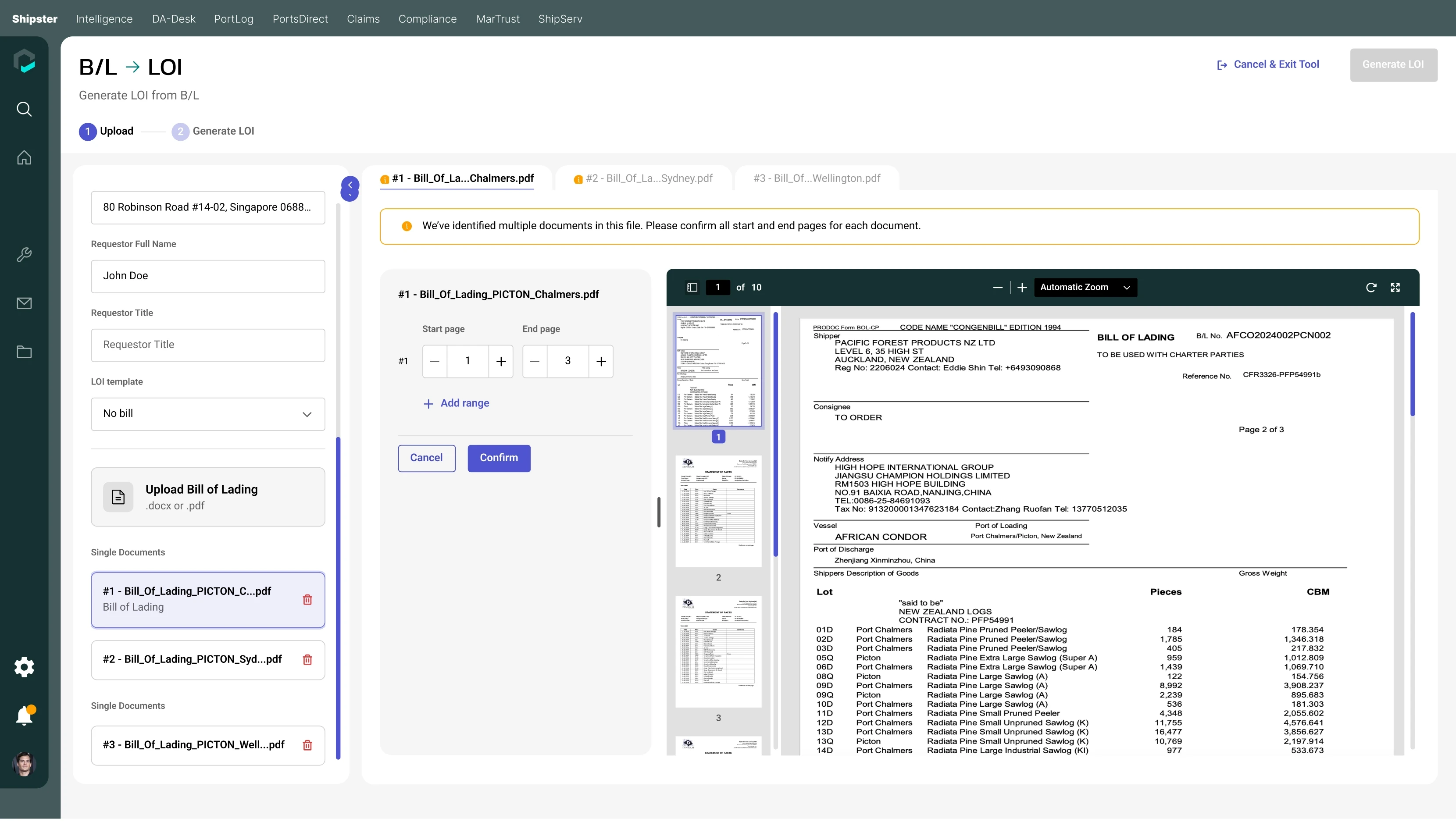
B/L → LOI / page thumbnails, a source preview and start/end controls support document separation.
Visible readiness
Alerts mark documents that still need separation; generation remains unavailable.
Editable automation
AI can propose the split, but the user checks the result and confirms the page ranges.

Treat the generated document as a draft
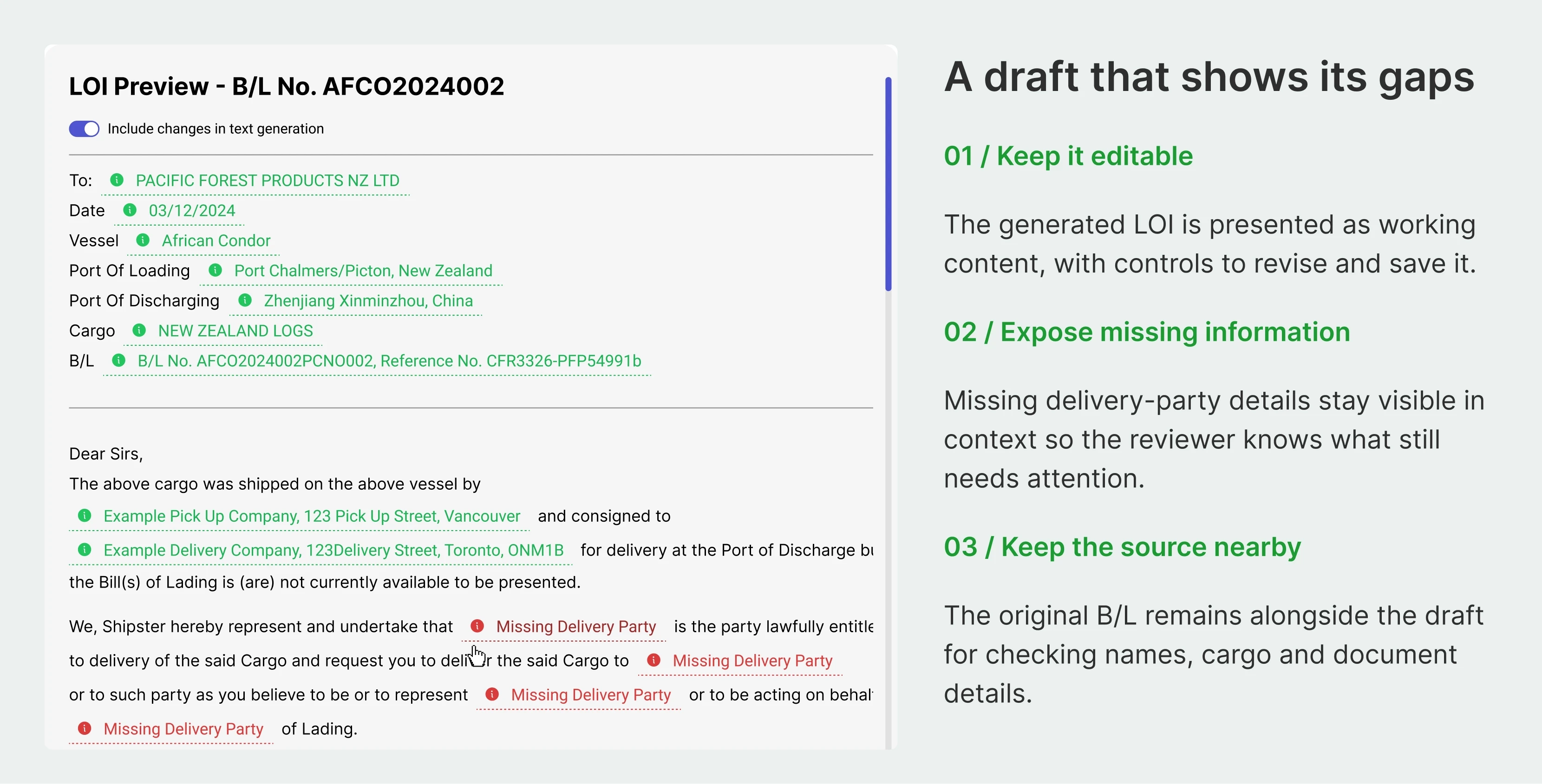
Generation produces an editable preview beside the original document. Extracted fields are marked, missing details are highlighted, and the user can amend the text before copying or saving it.

B/L → LOI / editable draft, missing delivery-party fields and the original bill of lading in one view.
Review in context
Keep the source close enough to check a vessel, cargo detail or recipient.
Make gaps explicit
A missing value invites correction rather than disappearing into confident-looking prose.
Protect the edits
Saved-state feedback and discard controls make editing behaviour visible.
Close-up from the original LOI generation design; editable native layers.
Confirm the match before comparing the content
Comparing the wrong pages can produce a precise-looking answer to the wrong question. The matching step places key fields side by side and lets the user confirm or reject each suggested pair.
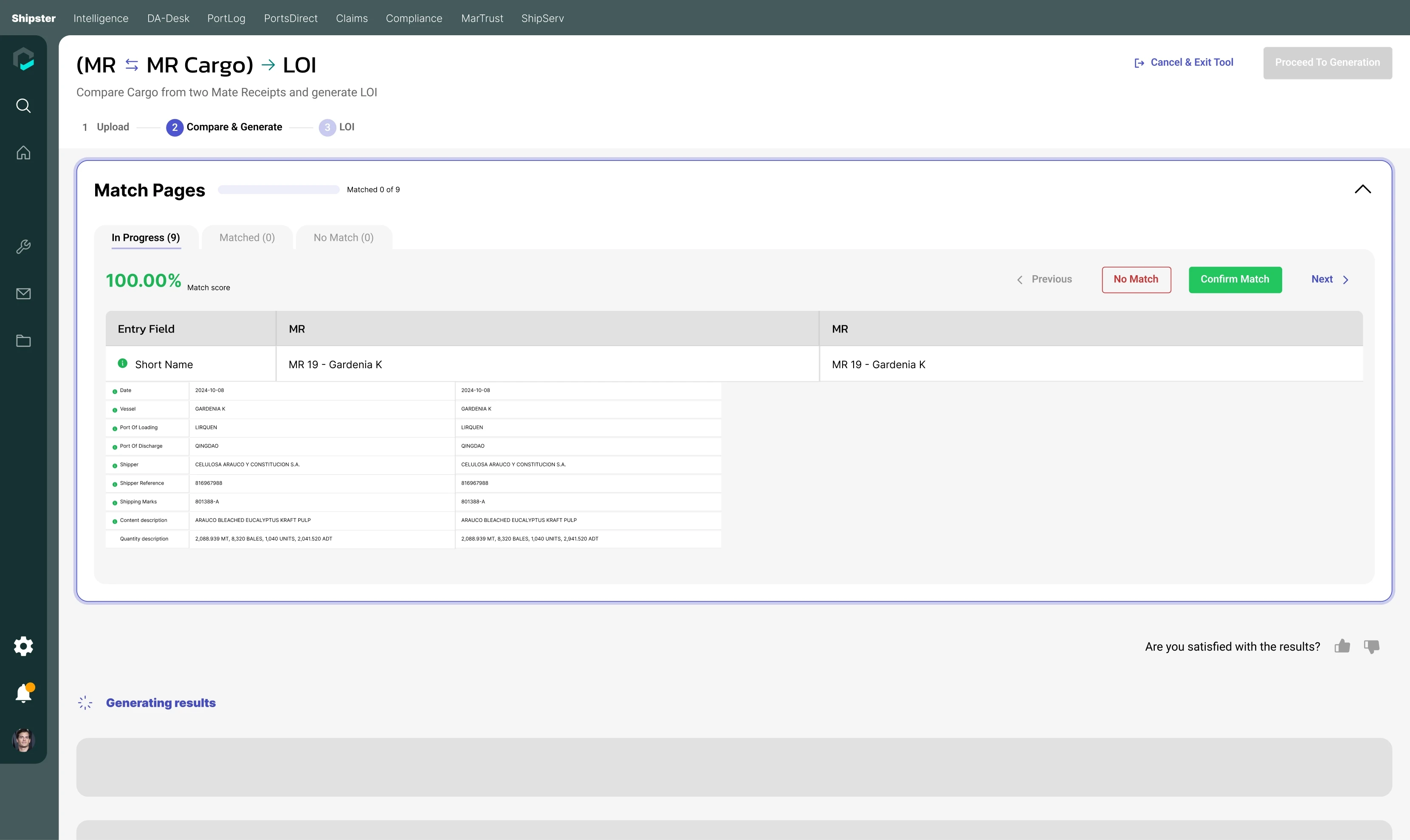
Mate receipts → LOI / match score, field comparison and Confirm Match / No Match actions.
Progress is visible without becoming approval
In Progress, Matched and No Match separate the review queues. A score supports the decision, while the explicit confirmation keeps responsibility with the operator. The following generation step only becomes relevant after matching is resolved.

Close-up from the original LOI generation design; editable native layers.
Make the differences easy to investigate
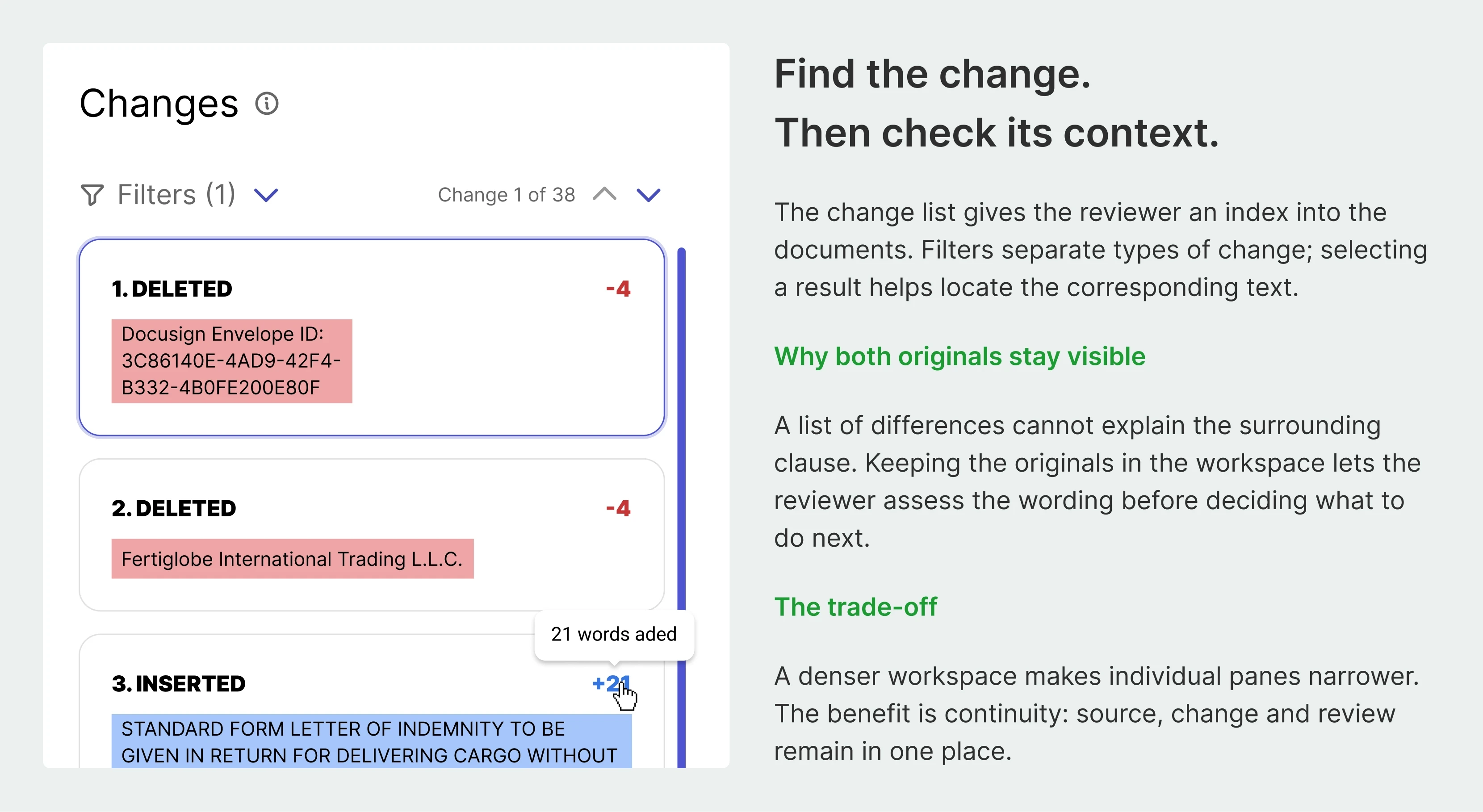
LOI comparison keeps both originals visible and lists changes alongside them. Insertions, deletions and replacements have explicit labels. Filters and change navigation help users move through a long document without losing their place.
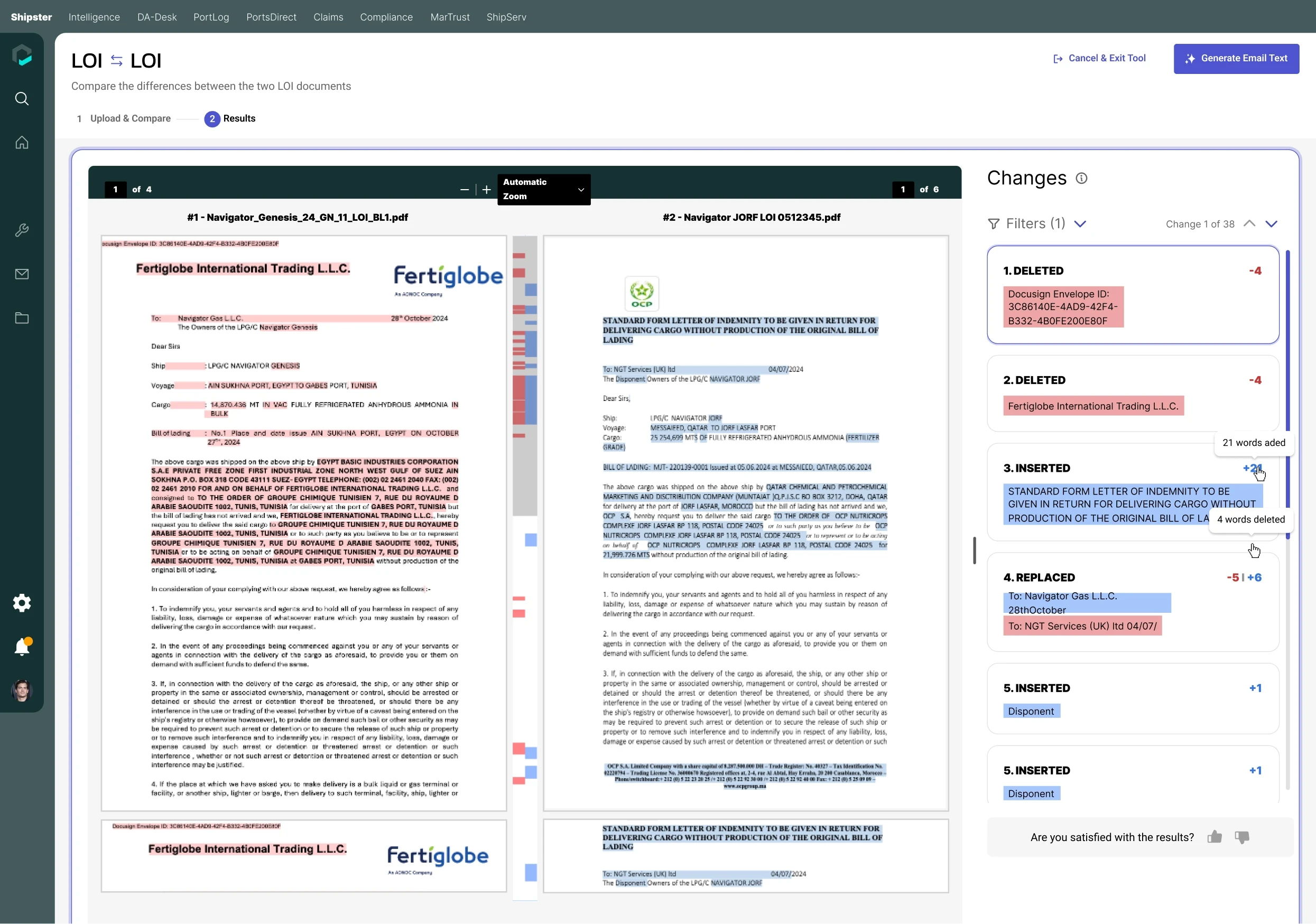
LOI ↔ LOI / paired documents, highlighted changes and a navigable change list.
From summary to evidence
Each difference sits beside the documents it came from.
From difference to response
Generated email text is a draft the user can review and copy, rather than an automatic send.
Adapt the result to the document’s job
A single result format would not suit every task. Cargo documents need aligned quantities and totals; statements of fact need event and time comparisons; hire statements need amounts, explanations and the source of a discrepancy.
Cargo reconciliation
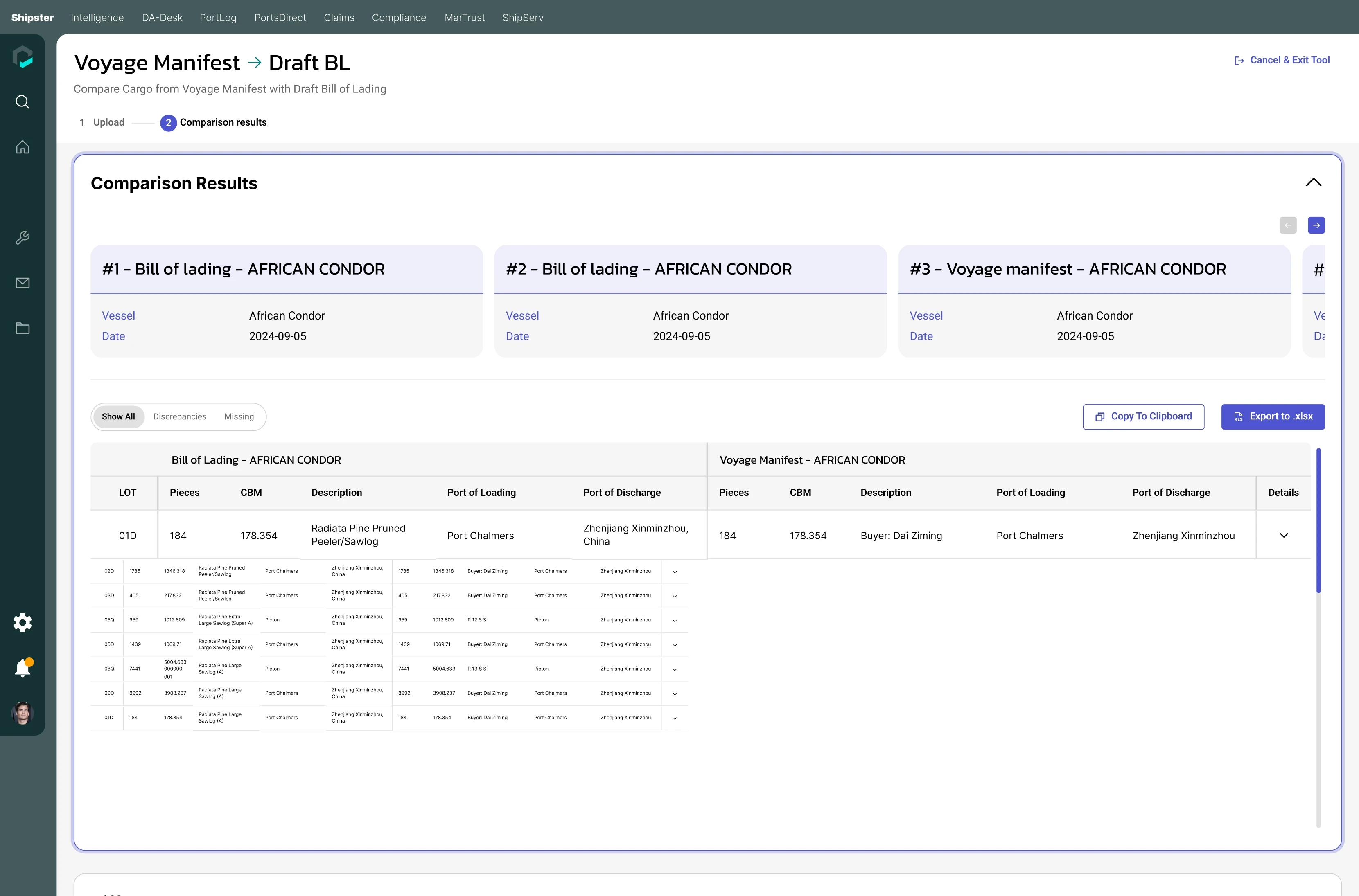
Voyage manifest ↔ B/L / align cargo lots, inspect quantity and volume differences, and export to Excel.
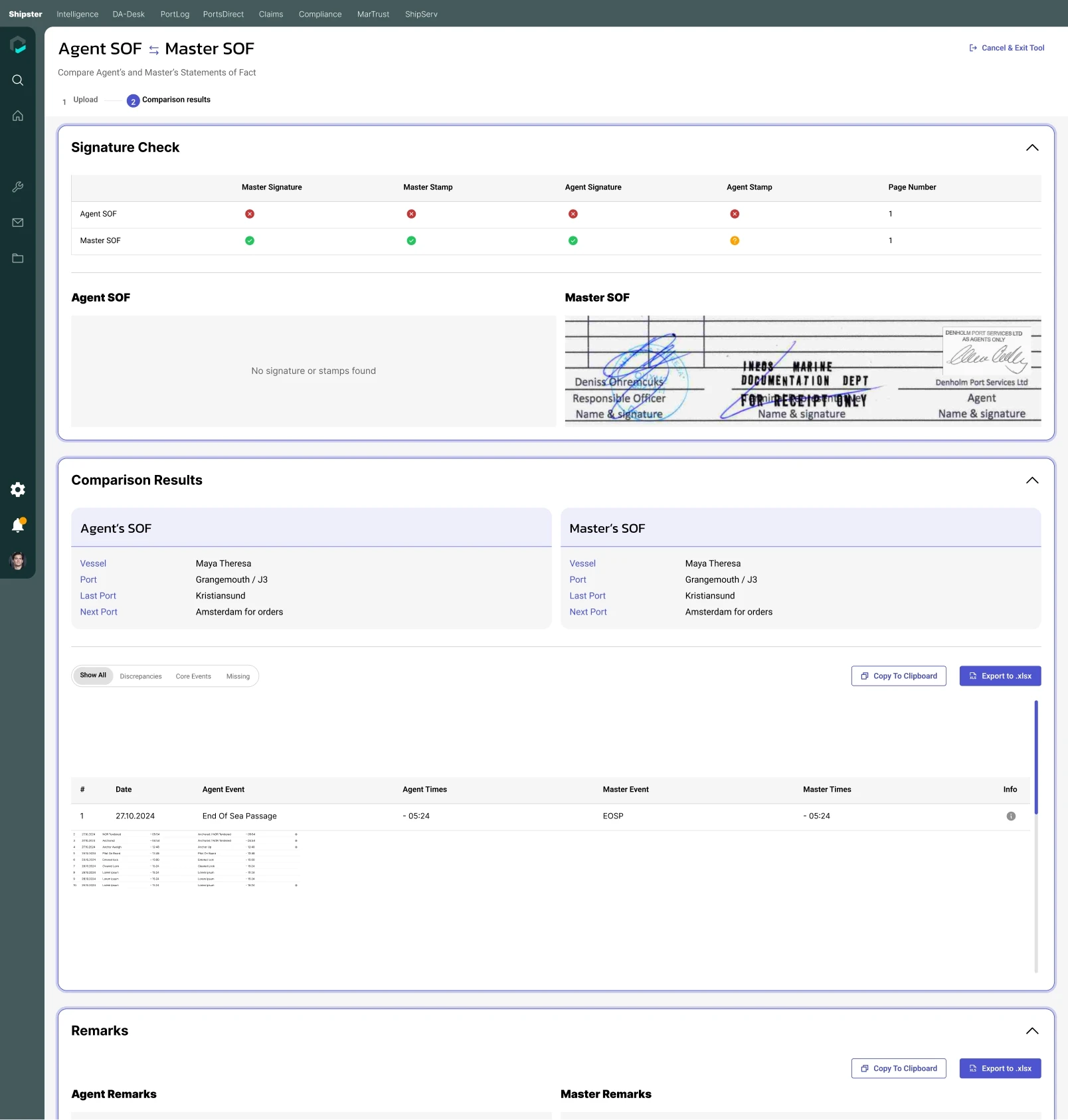
Events and timestamps
Agent and master records are aligned, with filters for discrepancies, core events and missing information. Signature and stamp checks remain separate.
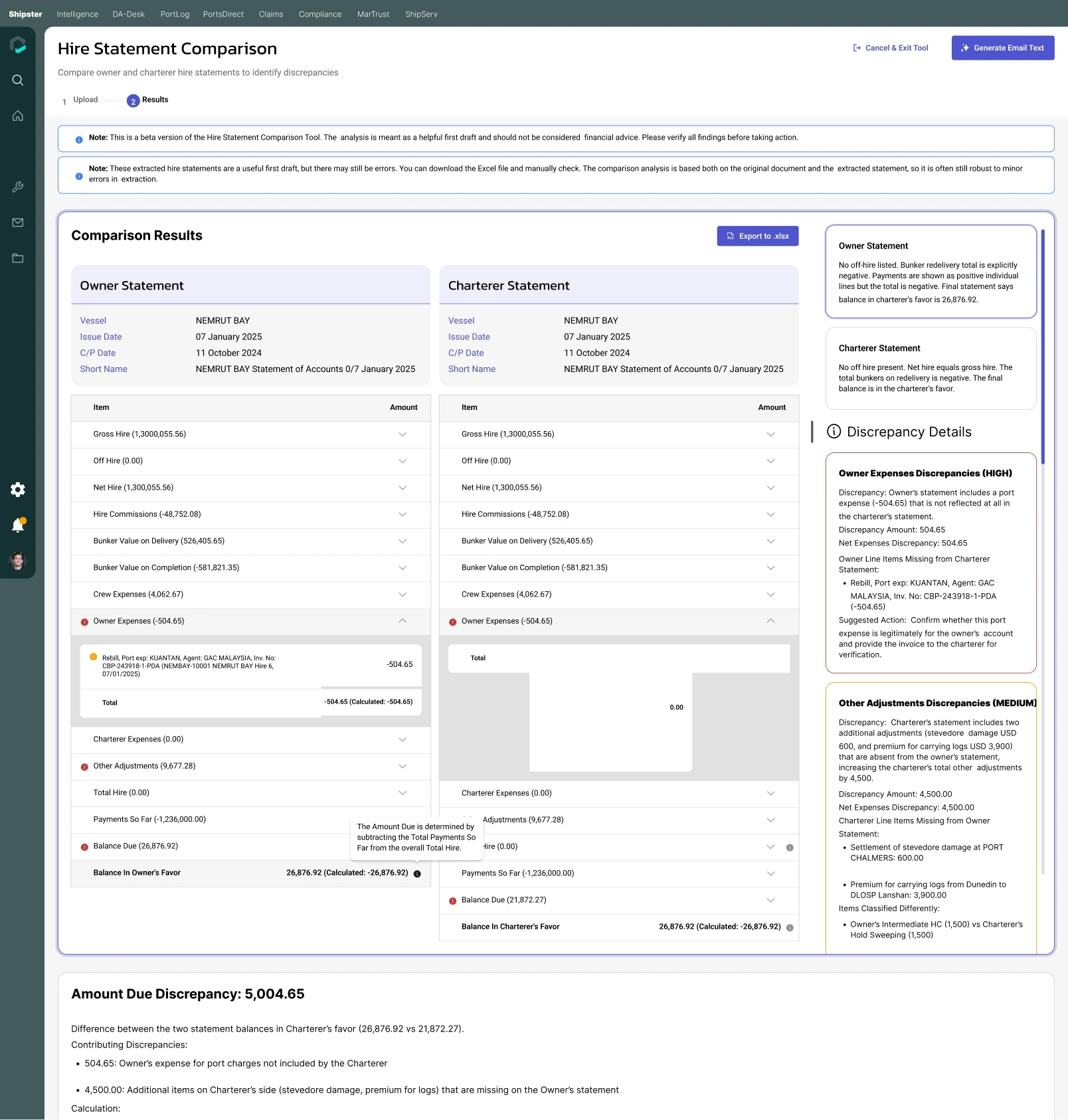
Amounts and explanations
Owner and charterer statements show contributing discrepancies, suggested checks and calculated balances. The result explicitly asks for verification.
Carry the pattern into operational instructions
Voyage and bunker instructions begin with an email or pasted text. They reuse the same upload-to-preview journey, but focus review on operational details such as the vessel, ports, cargo and nomination.
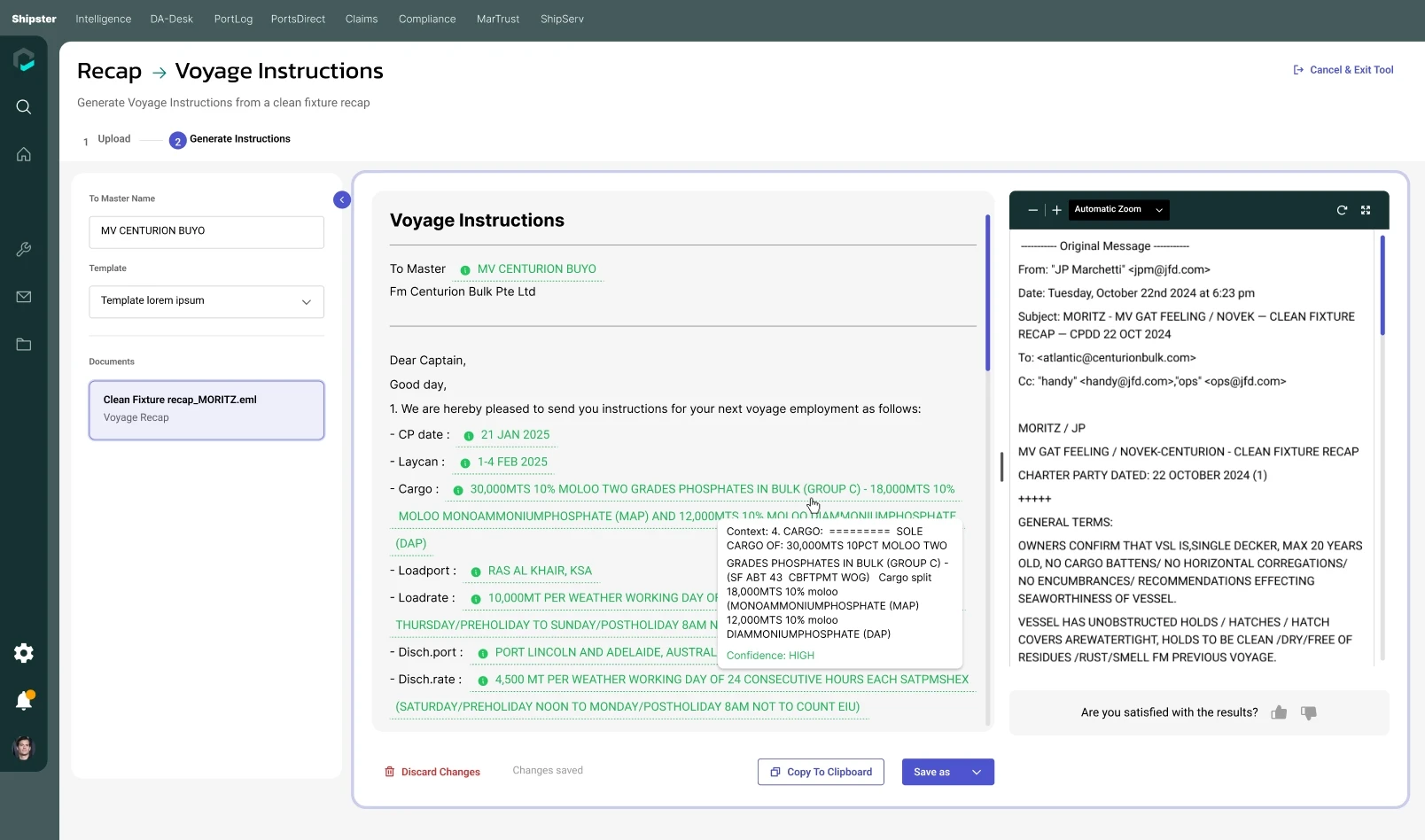
Recap → Voyage instructions
Source context and field-level cues make the generated instructions inspectable.
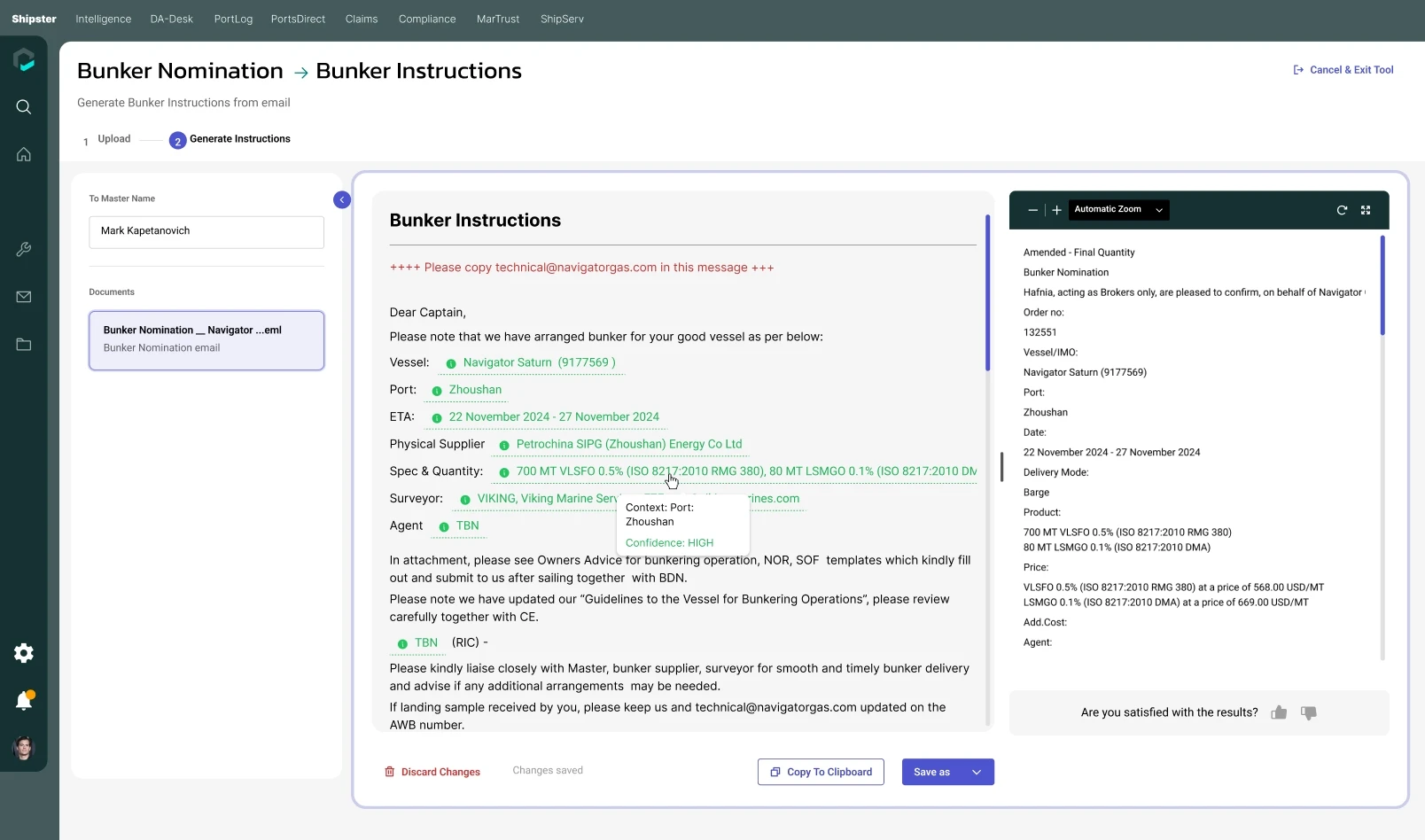
Nomination → Bunker instructions
Email input becomes an editable instruction draft, with the source available alongside it.
The shared framework handles different content without making every tool a separate product to learn.
Design Guide for Consistency
The suite reuses a task header, progress steps, upload patterns, previews and shared actions. Roboto carries most product content, while Kanit appears in the global navigation. The case study follows the Inter typography of the portfolio reference.
Color Palette
Workspace
Actions / comparison
Generation
Confirmed / extracted
Needs attention

Built on the Unified Design System
This design follows Marcura’s unified design system, using its visual foundations, typography, colour tokens, and reusable UI components to create a consistent and accessible experience. Shared patterns and clear component guidelines help maintain consistency across interfaces while supporting efficient design and development.
From design to development
I worked with the product owner to hand the solution over for development. The design file goes beyond successful outputs: it documents the input, review and recovery states needed to make each tool usable.
STATE
BEHAVIOUR TO IMPLEMENT
Input and readiness
Empty, drag-and-drop, uploaded, multiple files and page separation.
Processing
Visible progress and a way to stop processing.
Review
Editable generated fields, missing values, match confirmation and filtered results.
Persistence and exit
Changes-saved feedback, discard controls and progress-loss confirmation.
Output
Copy to clipboard, PDF / DOCX export, Excel export and batch actions.
Decisions that need engineering alignment
Define when generation is blocked, how page and match decisions are retained, and what happens to edits when the input changes. Keep the visible interface state aligned with processing and export behaviour.

I designed the full set of workflows and worked with the product owner to hand them over for development. The handoff needed to make states, review actions and document-specific behaviour clear—not just provide finished screens.
Validation and what comes next
The deliverable is a designed toolkit with complete task flows and detailed review states. The designs show how users could prepare, inspect and correct AI output; they do not establish how much time was saved or how accurate the extraction was.
Task completion
Can users split a bundled file, confirm a match and finish an export without assistance?
Quality of review
Do users notice missing fields and meaningful discrepancies before acting?
Operational value
How do completion time, correction effort and repeat use compare with the existing process?
Next research step
Test realistic tasks with shipping operators and document reviewers. Include ambiguous page boundaries, incomplete source data and mismatched records. Observe the checks users make, then refine the points where they hesitate or miss an issue.
No launch metrics, usability study results or analytics were provided for this case study. These are proposed validation measures.
Conclusion
Shipster turns a collection of specialist AI tools into a common way of working: prepare the input, inspect the result, resolve the gaps and export something useful.
The design’s strongest principle is proximity. Keeping the source beside the output gives users a practical way to challenge what the AI has done. A consistent workflow makes that review familiar across very different document tasks.